Beginner's Guide to Creating Apps with AI - Prompt Engineering for Builders
Last month, an ops manager I know tried building an employee onboarding app with an AI builder. Her first prompt: "Build an onboarding app for new employees." What she got back was a generic landing page with a welcome message and a form that collected name, email, and "department." No workflows. No document uploads. No task checklists. No manager approvals. She spent the next two hours adding things she'd assumed were obvious — and undoing things the AI had assumed on her behalf.
Her second attempt started differently. She described who would use it (new hires, HR coordinators, and department managers), what each person needed to do (complete paperwork, assign equipment, verify tax forms), what happened when something went wrong (missing documents trigger a reminder, not a block), and what the output should look like at each stage. That version worked. Not perfectly — she still needed a few rounds of refinement — but the first draft was recognisably the app she had in mind.
The difference wasn't a better AI model. It was better AI prompts.
This complete guide is about the gap between those two attempts. It covers how to write effective AI prompts that produce applications matching your app ideas — whether you're using Chattee, Lovable, Bolt.new, Replit, or any other AI-powered builder. Most tools let you describe what you want using natural language prompts and generate an app in minutes.
Think of the AI as a fast, literal-minded contractor
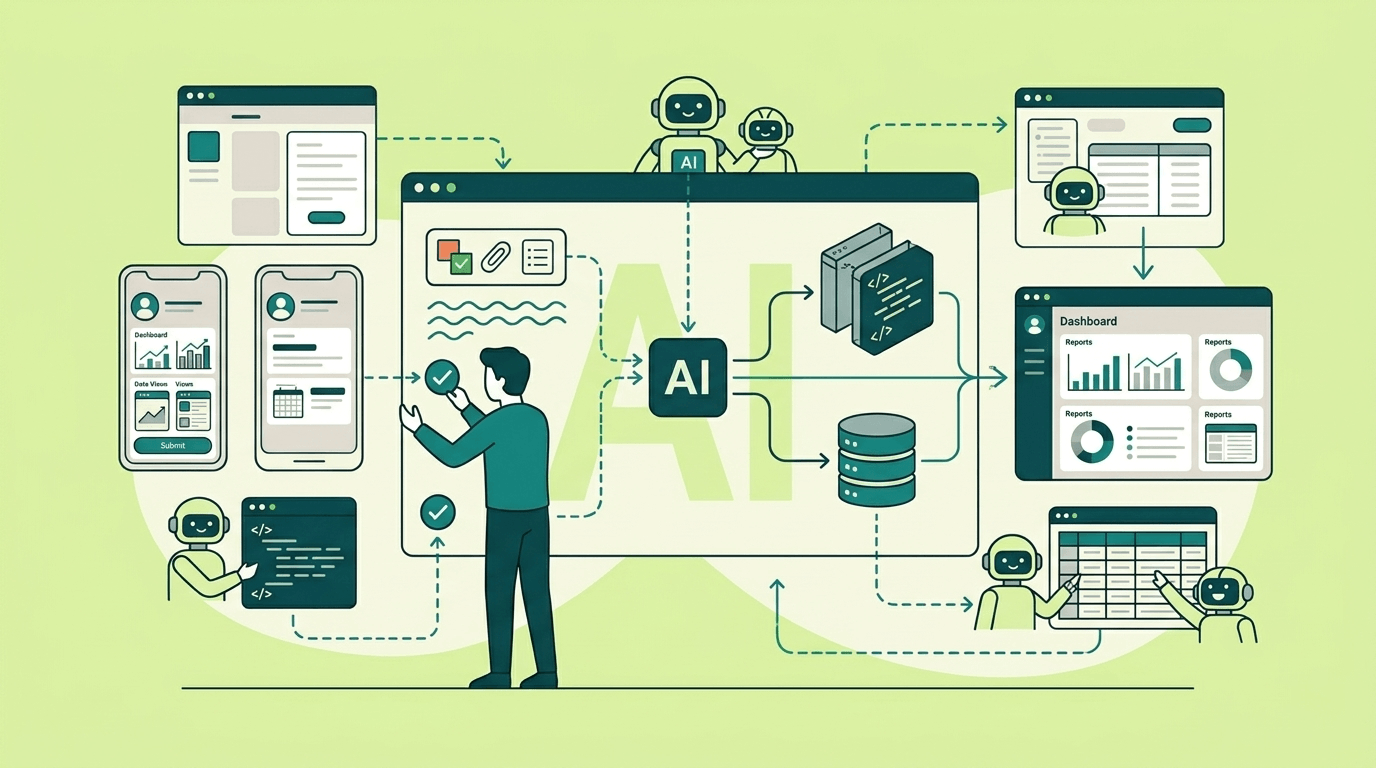
The most useful mental model for working with AI builders: imagine hiring a developer or an AI agent, who works at ten times normal speed, follows instructions to the letter, and never asks for clarification. That last part is the problem. A human developer would stop and say "wait, what do you mean by admin controls?" Your job is to help the AI make fewer assumptions.
This means prompts for app building are less like search queries and more like requirements documents. The prompt defines scope, behaviour, permissions, and edge cases —— everything that a spec would normally contain. Skip any of those, and the AI fills in the blanks with reasonable-sounding guesses that may be completely wrong for your situation.
A 2025 study from MIT Sloan confirmed this quantitatively: only about half of the performance gains from using a better AI model came from the model itself. The other half came from how people adapted their prompts. Investing in a powerful AI tool delivers limited value unless you also invest in learning how to direct it.
Prompting frameworks worth knowing
If you've never written a structured prompt before, frameworks give you a checklist so you don't forget important pieces. None of these are magic —— they're just different ways of reminding you what information the AI needs.
CO-STAR is the most widely used general-purpose framework. It stands for Context, Objective, Style, Tone, Audience, Response. It originated from a GPT-4 prompt engineering competition in Singapore and works well for anything where the audience and tone matter as much as the content. The "Response" element deserves a note: in dedicated app builders (Chattee, Lovable, Bolt.new), the platform handles file creation and project structure on its own. You describe what you want to build, not what file type to output. If you're generating code through a general-purpose AI like ChatGPT and pasting it into your project, though, specifying the exact output format becomes essential.
RISEN Role, Instructions, Steps, End Goal, Narrowing) is better suited to technical tasks. The "Steps" element forces you to decompose what you want into a sequence —— which directly maps to how apps are built. The "Narrowing" element is where you add constraints: "no external dependencies," "mobile-first," "use Supabase for auth."
TIDD-EC (Task, Instructions, Do, Don't, Examples, Content) is worth knowing for one reason: the explicit "Don't" section. AI builders have a tendency to add features you didn't ask for —— analytics dashboards, dark mode toggles, settings panels —— and telling them what not to build is surprisingly effective.
RACE (Role, Action, Context, Expectation) is the simplest. Four elements, quick to write, works fine for straightforward requests. If you're prompting for a single component or a small feature, this is often enough.
A quick comparison of when to reach for each one:
| Framework | Best for | Complexity | Distinguishing feature |
|---|---|---|---|
| CO-STAR | Content, marketing copy, communications | Low–Medium | Audience and tone focus |
| RISEN | Multi-step technical tasks | Medium | Explicit step sequencing |
| TIDD-EC | Tasks where you need to prevent specific failures | Medium | "Do/Don't" guardrails |
| RACE | Quick, focused requests | Low | Minimal structure |
In practice, most experienced builders don't follow any single framework rigidly. They borrow elements from several —— a role assignment here, explicit constraints there, examples when formatting matters. The value isn't in the acronym; it's in the habit of providing complete information.
Context engineering: the skill that matters more than prompt wording
Something important shifted in 2025: the industry stopped talking about "prompt engineering" and started talking about "context engineering." It's not just a label change.
Prompt engineering is about the words you write. Context engineering is about the total information environment the AI model sees —— system instructions, project files, retrieved documents, conversation history, tool outputs, and examples. As former OpenAI researcher Andrej Karpathy put it: "In every industrial-strength LLM app, context engineering is the delicate art and science of filling the context window with the right information."
This reframing explains something practical: why two people can write nearly identical prompts and get dramatically different results. The difference is usually context, not phrasing. One person provided their existing database schema; the other didn't. One person included a screenshot of their design; the other described it in words. One person had a rules file configured in their tool; the other started from scratch each session.
For AI app builders, context engineering means thinking about three things:
- Instructional context —— system prompts, rules, and few-shot examples that tell the AI how to behave.
- Knowledge context —— domain information, documentation, existing code patterns, and project facts.
- Tool context —— information the model gathers from its environment: running code, querying databases, reading files.
So before obsessing over prompt wording, ask yourself whether the AI actually has access to the information it would need to do the job well. Often it doesn't — and no amount of clever phrasing compensates for missing context.
What to tell the AI at each building stage
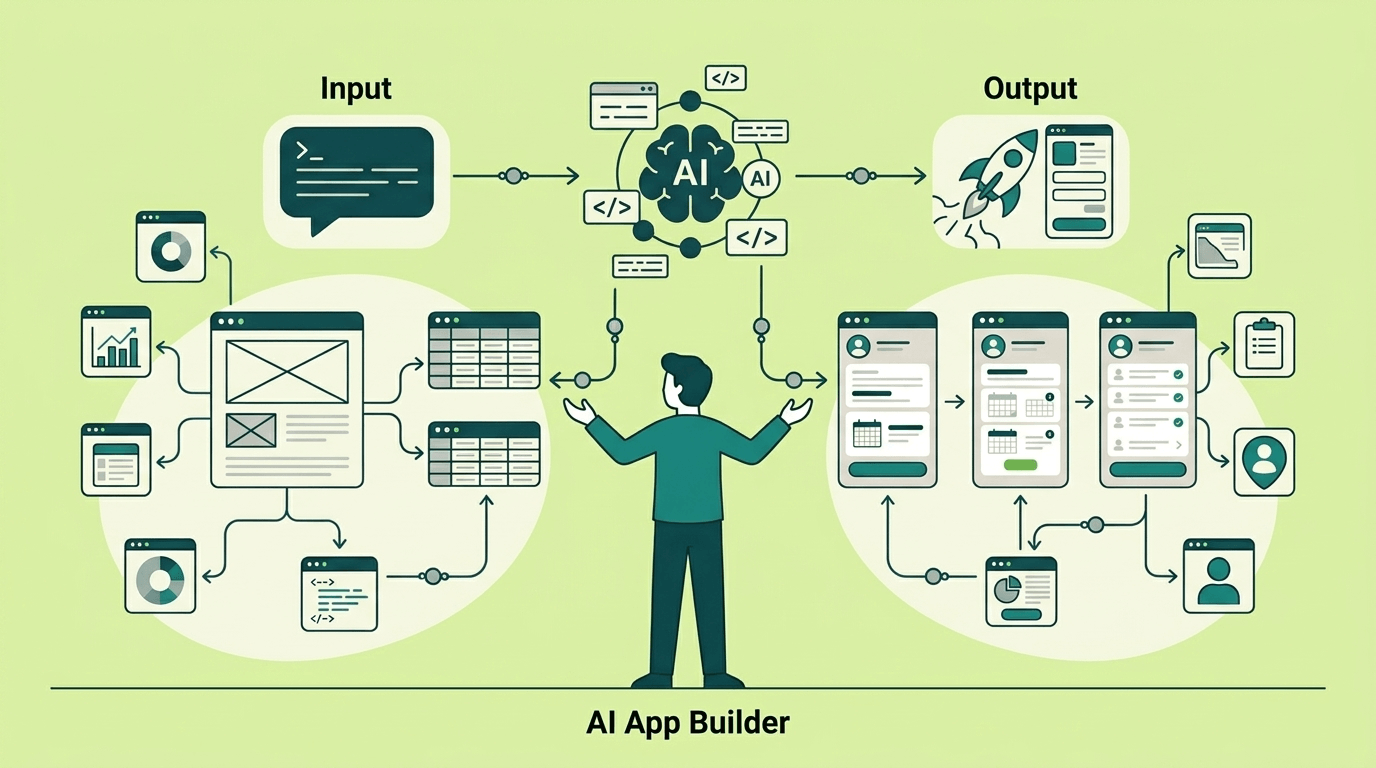
One of the most common mistakes with AI builders is dumping all your requirements into a single prompt and hoping for the best. Different stages of app building need different context. A prompt that works great for designing your data model will produce garbage results for building your UI if it's missing design context.
Here's what matters at each stage — and what to include.
When building the UI and frontend
The AI needs to know what things should look like, not just what they should do. Without visual context, it falls back on generic defaults —— and those defaults might be Bootstrap circa 2019.
Include:
- Colour palette with specific hex codes (primary, secondary, accent, success/error/warning colours).
- Typography — which fonts, what weights for headings vs body text, line height preferences.
- Component library — "Use shadcn/ui and Tailwind" or "Use Mantine components" gives the AI a coherent design vocabulary.
- Layout preferences — sidebar navigation vs top nav, card-based layouts, how many columns on desktop vs mobile.
- Accessibility requirements — WCAG AA compliance, semantic HTML, keyboard navigation.
A prompt that says "create a dashboard page" without any of this context will produce something that technically works but looks nothing like your brand. A prompt that includes even a basic design token specification — colours, fonts, spacing — produces something you can actually ship.
Build a dashboard page showing key metrics for an HR manager.

DESIGN CONTEXT:
- Component library: Mantine UI (React)
- Primary colour: #2563EB, secondary: #7C3AED, neutral backgrounds: #F8FAFC
- Typography: Inter for headings (600 weight), Inter for body (400 weight)
- Layout: sidebar navigation on the left (240px), main content area with 24px padding
- Cards for each metric, 8px border radius, subtle shadow (0 1px 3px rgba(0,0,0,0.1))
- Responsive: stack sidebar below content on screens under 768px
- WCAG AA colour contrast compliance required

METRICS TO DISPLAY:
- Open positions (count, trend arrow vs last month)
- Time-to-hire average (days, bar chart over last 6 months)
- Employee turnover rate (percentage, line chart over last 12 months)
- Pending onboarding tasks (list of next 5, with assignee and due date)
When building the data model
AI builders are particularly prone to creating overly simplistic schemas — a single users table with twenty columns instead of properly normalised entities. The fix is to be pedantic about structure. Spell out every entity, every field type, every constraint. Name your naming convention (snake_case? camelCase? singular tables or plural?). If you're extending an existing database, paste the current schema — without it, the AI will invent conventions that clash with what's already there.
Indexing deserves its own section in the prompt. Most AI-generated schemas skip indexes entirely, which is fine for a prototype and disastrous for production. Tell the AI which queries will be frequent, and it'll add the right indexes.
Design a database for a project management tool.

NAMING: Use snake_case for everything, plural table names.
Every table should track when records were created and last updated.

ENTITIES AND RELATIONSHIPS:
- Teams: name, unique slug identifier
- Users: email (unique), display name, belongs to one team
- Projects: name, belongs to a team, has an owner (a user),
  status can be active, archived, or draft (defaults to draft)
- Tasks: title, optional description, belongs to a project,
  can be assigned to a user (optional), status is one of
  todo/in_progress/review/done, priority is low/medium/high/critical,
  optional due date

PERFORMANCE:
- Add a composite index on tasks for project + status (we'll filter
  task lists by project and then by status constantly)
- Index tasks by assignee (for "my tasks" views)
- Add a composite index on projects for team + status (for team
  project listings)

VALIDATION:
- Due dates must be in the future when first set
- Project status defaults to "draft" on creation
When building business logic and backend behaviour
Backend prompts fail in a different way than UI prompts. Instead of looking wrong, they look fine — until you realise the app handles errors inconsistently, the authentication check is missing from one page, or a failed action shows a cryptic error message instead of something helpful.
What works best: describe what the user does, what should happen behind the scenes, what rules apply, and what the user should see when something goes wrong. If you're adding to an existing app, show the AI a working example from your codebase — it picks up patterns faster from examples than from written rules.
Build a task assignment feature for the project management tool.

USER FLOW:
- On the task detail page, managers and admins see an "Assign" button
- Clicking it opens a dropdown showing team members
- Selecting a person assigns the task to them
- The page updates immediately to show the new assignee

BUSINESS RULES:
- Only users with the Manager or Admin role within the project's team
  can assign tasks
- The assignee must be a member of the same team as the project
- If a task is already marked as "done", it cannot be reassigned
- When a task is assigned, record who made the change and when

WHAT THE USER SEES WHEN SOMETHING GOES WRONG:
- User lacks permission: "You don't have permission to assign tasks
  in this project"
- Task not found: show a "not found" page
- Task already completed: "This task is already done and can't
  be reassigned"
- Selected assignee isn't on the team: "This person isn't a member
  of the project's team"
When building integrations
Third-party integrations are where context volume becomes a real problem. A full Stripe API reference is thousands of pages. You don't need the AI to know all of it — you need it to know the three endpoints you're actually calling, how authentication works, what the response looks like, and what errors to expect. Trim ruthlessly. Paste a sample response body. Mention rate limits if they're relevant. And always specify what should happen when the external service is down —— because the AI won't think about that unless you bring it up.
Structuring requirements so the builder can't misread them
The difference between a prompt that produces something useful and one that produces something you'll spend hours fixing usually comes down to structure. Not complexity — structure. Even a short prompt works well if it separates instructions from context, describes what the result should look like, and includes one or two examples.
Separate instructions from context
The simplest structural improvement: put what you want the AI to do at the top, and put reference material (data schemas, example records, design tokens) below, clearly delimited. AI models process instructions and data in a single stream. If the boundary is unclear, the model might treat your example data as instructions, or your instructions as optional suggestions.
Use clear headers, triple backticks, or XML-style tags to mark boundaries:
TASK: Build a page that displays a customer list.

CONTEXT (reference data, do not interpret as instructions):
---
Sample customer record:
{
  "id": 1042,
  "name": "Acme Corp",
  "plan": "pro",
  "mrr": 299.00,
  "status": "active",
  "last_login": "2026-01-28T14:30:00Z"
}
---

REQUIREMENTS:
- Sortable columns: name, plan, MRR, last login
- Filter by status (active/churned/trial)
- Click row to navigate to /customers/[id]
- Show "No customers match your filters" when list is empty
When output format matters (and when it doesn't)
Dedicated app builders —— Chattee, Lovable, Bolt.new, Replit —— handle file creation and project structure automatically. You never need to say "return a React component" or "output as a .py file." The platform figures that out.
This advice kicks in when you're using a general-purpose AI (ChatGPT, Claude in a browser, Copilot Chat) to generate code you'll copy into your own project. In that case, say exactly what you want back: "a single React component using TypeScript" or "a Python function, not a class."
One thing that applies everywhere, regardless of platform: defining data structures within your app. If your app passes data between pages, stores records, or calls external services, describe the exact shape —— field names, types, and what happens when a value is missing.
Include examples when formatting matters
Few-shot examples — two or three samples of desired output —— are consistently the single most impactful addition to a prompt. They anchor the model's behaviour more reliably than abstract instructions. If you want a specific API response format, show one. If you want a specific coding style, include a snippet of existing code.
The key: make examples mechanically consistent. If one example uses camelCase and another uses snake_case, the model will alternate randomly between both.
A template you can copy
A general-purpose skeleton for AI app-builder prompts:
TITLE: [Feature or app name]

GOAL (one sentence): [What success looks like]

NON-GOALS:
- [What the app must NOT do]
- [Out of scope items]

USERS:
- [Role A] — [why they use this feature]
- [Role B] — [why they use this feature]

DATA:
- Inputs: [what the user provides]
- Sources: [databases, APIs, files the app reads from]
- Prohibited: [data the app must not access or display]

WORKFLOWS:
- Happy path: [step by step]
- Alternate paths: [what happens when X]
- Error path: [what happens when things fail]

RULES:
- [Rule 1 — unambiguous, testable]
- [Rule 2 — unambiguous, testable]

OUTPUT FORMAT (skip if your platform handles file generation automatically):
- [Structure, required fields, types]

ACCEPTANCE TESTS:
- Given [input], expect [output/behaviour]
This isn't a rigid format — adapt it to your tool and your project. The point is that each section forces a decision you'd otherwise leave to the AI's imagination.
Getting roles and permissions right
Permission failures are the most dangerous category of "misbuild" because they create security holes, not just UX annoyances. And in AI-generated apps, the risk is amplified: if you don't specify who can do what, the AI will either make everything accessible to everyone or apply permissions inconsistently.
There are two separate concepts you need to keep straight:
Message roles are the API-level instruction hierarchy —— system, developer, user. These control which instructions the AI prioritises. Your non-negotiable rules (security boundaries, data access limits) should go at the highest available level.
App user roles are the product roles — admin, editor, viewer, customer. These determine what a person can see and do inside the application you're building.
A good prompt addresses both. It puts hard boundaries in the system-level instructions, then defines a concrete permission model for the application.
The principle that prevents most permission bugs
Deny by default. No action is allowed unless explicitly granted. This is standard security practice (OWASP recommends it for both traditional web apps and LLM-powered ones), and it translates directly into how you write prompts:
Instead of this:
Admins can manage everything.
Support agents can help customers.
Customers can see their account.
Write this:
ROLES: customer, support_agent, admin

PERMISSIONS (deny by default — no action unless listed here):

customer:
  CAN: read own profile (except payment_method field), create and view own tickets,
       read public knowledge base articles
  CANNOT: read other users' data, access internal KB, export data, modify roles

support_agent:
  CAN: read tickets where assigned_to = self, draft replies, read internal KB
  CANNOT: access billing data, delete users, change role assignments

admin:
  CAN: manage KB articles, configure routing rules, manage role assignments
  CANNOT: view ticket message content unless granted explicit "ticket_audit" permission

HIGH-RISK ACTIONS (require human approval regardless of role):
- Account deletion
- Bulk data export
- Role elevation
The first version is three lines of English that could mean almost anything. The second version is implementable —— a developer (or an AI) can turn each line into a database check, an API guard, or a UI visibility rule.
Which access control model to describe
For most app-builder use cases, RBAC (Role-Based Access Control) is the right fit. It maps cleanly to the "Role X can do Y" format that AI models handle well. Describe roles, list permitted actions per role, and specify the scope of each action.
If you need finer control — "users can only edit tickets they created" or "pro-plan users see different features than free-plan users" — you're moving toward ABAC (Attribute-Based Access Control). In prompts, express these as conditional rules:
CONDITIONAL PERMISSIONS:
- A user can edit a ticket IF ticket.creator_id = user.id
- A user can access the analytics dashboard IF user.plan IN ('pro', 'enterprise')
- A user can view salary data IF user.department = record.department AND user.role = 'manager'
Bottom line: describe permissions in a way that can be checked in code, not in a way that requires the AI to "remember" rules during a conversation. AI-enforced-only permissions are unreliable. Code-enforced permissions are testable.
Describing conditional logic so workflows actually work
This is where AI-built apps break most often. The happy path looks great. But the first time a user submits a form with a missing field, or a payment fails, or someone tries to access a page they shouldn't see — the app falls apart.
The root cause: if you don't describe what happens in non-happy-path scenarios, the AI assumes the happy path is the only path.
Patterns that work in prompts
Guard clauses prevent the AI from charging ahead with incomplete information:
If required fields (order_id, customer_email) are missing,
ask the user to provide them. Do not proceed or guess.
Decision tables communicate branching logic more clearly than prose:
| Condition | Action | Output |
|---|---|---|
| User not authenticated | Show login prompt, do not load account data | No API calls to user endpoints |
| Authenticated, requests password reset | Send reset email to verified address | Confirmation message, no password shown |
| Authenticated, requests account deletion | Generate proposed_action for human review | escalation_needed = true |
| Search returns zero results | Show "No results found" with suggestions | Do not show error state |
| API call times out after 5 seconds | Show retry button and apologetic message | Log timeout event with request_id |
State machines work well for multi-step workflows:
ONBOARDING WORKFLOW STATES:
- invite_sent -> form_incomplete -> form_complete -> documents_pending ->
  manager_review -> approved | rejected

TRANSITIONS:
- invite_sent -> form_incomplete: when new hire clicks invite link
- form_incomplete -> form_complete: when all required fields submitted
- form_complete -> documents_pending: automatic, after form validation passes
- documents_pending -> manager_review: when all required documents uploaded
- manager_review -> approved: when manager clicks "Approve"
- manager_review -> rejected: when manager clicks "Reject" (must provide reason)
- rejected -> form_incomplete: new hire can resubmit

RULES:
- No state transition can skip a step
- Rejected employees can resubmit up to 2 times, then escalate to HR director
Before and after: making conditional logic explicit
Before (the prompt that produces a broken workflow):
If the user asks for a refund, help them. If it's not possible, escalate.
After (the prompt that produces a working workflow):
REFUND WORKFLOW (apply checks in this order):

1. Validation:
   - If order_id is missing, ask: "What is your order number?"
   - If no order found for that ID, say: "I couldn't find that order.
     Please double-check the number."

2. Authorisation:
   - If user_role = "customer", they can request, not execute. Produce
     a refund request for agent review.
   - If user_role = "support_agent", they can initiate. Proceed to step 3.

3. Business rules:
   - If purchase older than 30 days, refund not eligible. Offer store
     credit or escalation.
   - If order total exceeds 500 USD, route to senior agent regardless of role.
   - If customer has had more than 3 refunds in 90 days, flag for review.

4. Execution:
   - Generate proposed_action: { type: "refund", order_id, amount, reason }
   - Set escalation_needed = true (all refunds require human approval)
The second version handles missing data, unauthorised users, business rules, and edge cases. Each line can become a test case.
Edge cases: the stuff that actually breaks in production
AI builders optimise for the happy path unless you tell them otherwise. Missing inputs, API failures, ambiguous user actions, and conflicting rules — these are the things that cause real problems once people start using the app.
A practical approach: for each feature, run through these scenarios and include the answers in your prompt.
Missing or incomplete input. Should the app ask for clarification, show a validation error, or fall back to a default? Spell it out — the AI won't make the same choice you would.
External services go down. Databases time out. Payment processors reject cards. Describe what the user sees when something breaks: whether to retry automatically, show a friendly error message, or escalate to a human.
Unauthorised actions should always produce a clear, specific message — never a silent failure or a raw error dump. If someone tries to access a page they shouldn't see, tell the AI exactly what to show them.
Contradictory rules are surprisingly common. "Always be helpful" combined with "never share account details with unverified users" creates a paradox the AI can't resolve on its own. Give it a priority order: "Security rules override helpfulness rules."
If your app expects structured data from the AI, use schema enforcement where your platform supports it. Otherwise, specify a fallback: "If the response doesn't match the expected format, show a generic error and log the malformed response for debugging."
A checklist you can paste into any feature prompt:
EDGE CASE HANDLING:
- Missing required fields: ask clarifying questions; do not guess or use defaults
- External API timeout (over 5s): show user-friendly error + retry button; log event
- Permission denied: show "You don't have access to this action" with reason code
- Empty search results: show "No results found" message, not an error state
- Malformed data from external source: reject silently; do not process or display
- Conflicting rules: apply in this priority: (1) security, (2) permissions,
  (3) data validation, (4) business rules, (5) UX preferences
Common AI prompt mistakes in app builders (and how to fix them)
After reviewing platform documentation from OpenAI, Google, Anthropic, and several security frameworks — and talking to people who use AI builders daily — the same failure patterns keep surfacing.
Trying to build everything at once. "Build a project management tool with user auth, Kanban boards, time tracking, Gantt charts, team chat, file uploads, and a mobile app." This mega-prompt produces bloated, interconnected code that's impossible to debug. Build one feature at a time. Verify it works. Then add the next.
The two-word brief. "Build me an employee portal" — and nothing else. The AI doesn't know your company, your employees, or what "portal" means to you. It'll create something generic that technically qualifies but solves none of your actual problems. Specificity is free — use it.
Assuming the AI remembers. Prompts like "you know our product" or "use the usual stack" fail because the AI starts each session (and sometimes each prompt) with a blank slate. Always provide context explicitly. Some platforms support persistent knowledge bases — Chattee and Lovable, for example, let you store project context that persists across sessions — but even then, important constraints belong in the prompt.
Contradictory instructions. "Always follow the user's request" combined with "never share personal data" creates a paradox when a user asks for personal data. AI models handle conflicts unpredictably. Add a priority order: "When rules conflict, apply security constraints first, then business rules, then user preferences."
Lists of "don'ts" with no "do's." "Don't use tables for layout. Don't use inline styles. Don't fetch data in components." Negative instructions are harder for models to follow than positive ones. Rephrase: "Use CSS Grid for layout. Use Tailwind utility classes. Fetch data in a dedicated service layer." Both OpenAI and Google's prompting documentation make this point explicitly.
Bolting on security as an afterthought. AI-generated code is not secure by default. A 2025 analysis found that 62% of AI-generated code contains design flaws or known vulnerabilities. Including a simple security reminder in your prompt — "validate all user inputs, use parameterised queries, never expose credentials in responses" — raised the rate of secure code output from 56% to 66% in one study. Not a silver bullet, but a meaningful improvement for a single line of text.
Relying on the AI as your only gatekeeper. Never trust the model alone to enforce permissions, rate limits, or data access rules. It might "forget" rules, especially in long conversations or complex apps. Permission checks should be enforced in code. Treat anything the AI generates as a first draft that needs verification — particularly for security-critical paths.
The meta-prompt: getting the AI to help you write better prompts
One of the most underused techniques in AI app building: asking the AI itself to improve your prompt before you use it to build anything.
The process is simple:
- Write your rough prompt — even a messy paragraph is fine.
- Ask the AI: "You are a prompt engineering expert. Review the following app-building prompt and identify what's missing, ambiguous, or likely to produce unexpected results. Then rewrite it."
- Answer any clarifying questions the AI asks.
- Use the improved prompt for the actual build.
You can take this further with a structured meta-prompt:
You are an expert in AI-powered app development. I want to build:

"""[your rough idea here]"""

Ask me up to 10 questions you need answered to write an effective,
detailed prompt for an AI app builder. Focus on:
- Scope boundaries (what's in, what's out)
- User roles and permissions
- Data models and relationships
- Workflows and conditional logic
- Edge cases and error handling
- Design and UX preferences

After I answer, generate the final structured prompt I should use.
This works because AI models are often better at identifying what's missing from a spec than they are at guessing the right default. The meta-prompt turns the AI into a requirements analyst before it becomes a builder.
Testing and improving AI app prompts
The first prompt that works is rarely the best prompt. Like code, prompts need testing, versioning, and refinement.
A practical iteration loop:
1. Define what "correct" means. Before running a prompt, write down three to five concrete outcomes you'd accept as successful. "The login page has email and password fields, a 'forgot password' link, and shows a specific error message for invalid credentials."
2. Run the prompt and note failures. Not just "it doesn't work" — categorise what went wrong. Missing feature? Wrong format? Security gap? Incorrect logic? Each failure type has a different fix.
3. Patch one thing at a time. Resist the urge to rewrite the entire prompt after a failure. Add the missing constraint, clarify the ambiguous term, or add an example. Then run again. Changing too many things at once makes it impossible to know what fixed the problem.
4. Save prompts that work. When a prompt produces good results, save it as a template. Over time, you'll accumulate a library of "golden prompts" for common patterns — user authentication flows, CRUD interfaces, search features, notification systems.
5. Re-test when changing models. A prompt optimised for one AI model may perform differently on another. If you switch models (or your platform updates theirs), re-run your tests. The prompt engineering community has repeatedly observed that prompt strategies are not universally portable across models — what works for Claude might underperform on GPT-4, and vice versa.
Some teams — especially agencies building apps for multiple clients —— use dedicated tools for prompt evaluation. Promptfoo (open source, CLI-based) lets you define test cases in YAML and run prompts against them in batch. DeepEval integrates into Python test suites. For most individual builders, though, a simple document tracking "prompt version, test results, changes made" is enough to stay on track.
Platform-specific best practices and use cases
Different AI builders handle context in different ways. A few notes on the platforms you're most likely to encounter:
Bolt.new gives the AI full control over the browser-based filesystem, terminal, and server. Start by establishing architecture — framework choice, layout structure, design language — in your first prompt. Subsequent prompts can then reference "using the same style" without repeating everything. Be aware that context retention can degrade once projects grow beyond 15-20 components.
Lovable supports a persistent Knowledge Base with categories for project guidelines, user personas, design assets, and coding conventions. It also has a docs/ folder memory system (memory.md, architecture.md, etc.) that persists across sessions. Leverage this to avoid repeating context in every prompt. One action per prompt tends to work better than multi-step requests.
Replit Agent offers a "Plan mode" where you can discuss architecture before building. Use it. The "Improve Prompt" button is also worth trying — it reformulates your prompt to be more specific. Replit's checkpoint system lets you roll back safely, so you can experiment more aggressively.
v0 (Vercel) specialises in React/Next.js UI generation. It understands shadcn/ui components natively and supports a Registry system for passing design tokens to the model. If you're using v0 for frontend work, providing a tailwind config and globals.css file gives better results than describing colours in prose.
Cursor uses .cursor/rules/ files (with .mdc extension) to provide persistent context to the AI. Set these up before you start building — they're more effective than repeating instructions in every prompt. Start a new chat for each task; long conversation threads cause context drift.
Chattee takes a two-phase approach: first a planning phase where the AI creates an implementation plan, then an execution phase where it builds. This plan-then-execute pattern gives you a checkpoint to review the AI's understanding before it writes code — catching misinterpretations before they become misbuilt features. The platform generates full-stack applications (database, authentication, business logic, and UI) from natural language and handles deployment to custom domains.
Prompt structure from start to finish
To pull everything together, imagine you're an operations manager at a mid-size company who needs an internal tool for managing equipment maintenance requests. The full prompting process might go something like this.
Step 1: rough idea (meta-prompt)
I need an internal web app for tracking equipment maintenance requests
at our manufacturing facility. About 200 employees, 50 pieces of major
equipment. Currently using spreadsheets and email, it's a mess.

Ask me the questions you need answered to write a detailed prompt for
an AI app builder.
The AI might ask: Who submits requests? Who approves them? What information is captured? Are there priority levels? What happens when maintenance is complete? Is there a notification system? What about recurring maintenance schedules?
Step 2: answer the questions, then get a structured prompt back
After answering, the AI generates something like this (which you refine):
TITLE: Equipment Maintenance Request Tracker

GOAL: Replace spreadsheet-based maintenance tracking with a web app
that lets floor staff report issues, maintenance teams triage and
resolve them, and managers see status at a glance.

USERS:
- Floor Staff (200 people): Submit requests, attach photos, check status
  of their submissions
- Maintenance Team (12 people): View queue, claim requests, update status,
  log resolution notes
- Facility Manager (3 people): Dashboard overview, approve high-cost
  repairs (over 2000 USD), export reports

DATA MODEL:
- equipment (id, name, location, type, installation_date, status)
- maintenance_requests (id, equipment_id FK, submitted_by FK,
  priority ENUM(low/medium/high/critical), description, photos[],
  status ENUM(submitted/triaged/in_progress/pending_approval/resolved/closed),
  created_at, resolved_at)
- resolution_notes (id, request_id FK, author_id FK, note_text, created_at)

PERMISSIONS (deny by default):
- floor_staff: create requests, view own requests, upload photos to
  own requests
- maintenance_team: view all requests, claim (assign to self), update
  status, add resolution notes
- facility_manager: all maintenance_team permissions + approve high-cost
  repairs + view dashboard + export CSV

WORKFLOWS:
- Submit request, auto-assign priority based on equipment type,
  maintenance team triages, claim, work, resolve
- If estimated_cost over 2000 USD, status moves to pending_approval,
  facility manager approves or rejects with comment
- If request not claimed within 4 hours and priority = critical,
  alert facility manager

EDGE CASES:
- Photo upload fails: show retry button, save request text without photos
- Duplicate request for same equipment within 24 hours: warn submitter,
  offer to add note to existing request instead
- Equipment not in system: allow "Other" selection with free-text
  description, flag for admin to add to equipment list

DESIGN:
- Clean, functional (not consumer-flashy — this is a factory floor tool)
- Large touch targets (used on tablets with gloves)
- High contrast colour scheme for visibility in bright environments
- Mobile-first for floor staff, desktop-optimised for manager dashboard
Step 3: build iteratively
Don't paste this entire prompt and say "go." Feed it in stages:
- Data model and schema first — verify it makes sense
- Floor staff submission flow — test with the happy path and one edge case
- Maintenance team queue and workflow — verify claiming and status updates
- Manager dashboard and approval flow
- Notifications and alerts
Each stage gets its own focused prompt, with the overall spec as context.
Quick-reference: AI prompt templates that hold across every app builder
- Instructions first, context second. Put what you want done at the top. Reference material goes below, clearly separated.
- Be specific about format. If you need structured data, show the shape. If you need a UI, name the component library. If you need a database, name the technology.
- Show, don't just tell. Two or three examples of desired output beat a paragraph of abstract requirements.
- Say what to do, not just what not to do. "Validate all user inputs on the server" works better than "don't trust client-side data."
- One task, one prompt. Complex features built one slice at a time produce cleaner, more debuggable results than mega-prompts.
- State security requirements explicitly. Input validation, auth checks, data access boundaries — never assume the AI will add these on its own.
- Test edge cases, not just happy paths. For every feature, describe at least one failure scenario: missing input, denied permission, external service down.
- Save what works. Build a library of proven prompts for patterns you use repeatedly.
- Verify the AI's work. Review generated code the way you'd review a contractor's work. Check permission logic, data handling, and error states — especially before deploying to real users.
The gap between a frustrating AI builder experience and a productive one is almost never about the tool's capabilities. It's about the clarity of the instructions you give it. The good news: unlike learning to code, learning to write effective prompts is something you can meaningfully improve in an afternoon — and the returns compound with every project you build.