No-Code vs Low-Code vs AI App Builders: Complete Comparison Guide
Every few months, the same question surfaces in a startup Slack or a Reddit thread for ops managers: "Should I go no-code, low-code, or try one of these AI builders?"
The answers are always confident and always contradictory. Bubble fans insist you can build a SaaS product without coding skills. Retool advocates counter that real business applications need SQL queries and custom logic, not just visual components. And a growing crowd keeps linking to AI-powered tools that create applications from a text prompt.
They're all partially right. The problem is that "no-code," "low-code," and "AI builder" aren't competing labels for the same thing. They're different bundles of trade-offs. Speed, flexibility, cost, and portability shift dramatically depending on which path you choose. Pick the wrong one, and you might end up locked into a platform you can't leave. You'll be paying more than you budgeted, or stuck with an architecture that buckles when actual users show up.
This guide compares the platforms you're most likely to encounter - Bubble, Webflow, Retool, OutSystems, and Chattee - across the dimensions that actually drive outcomes: complexity handling, code ownership, scalability, and total cost.
Differences Between Low-Code vs No-Code vs AI Development
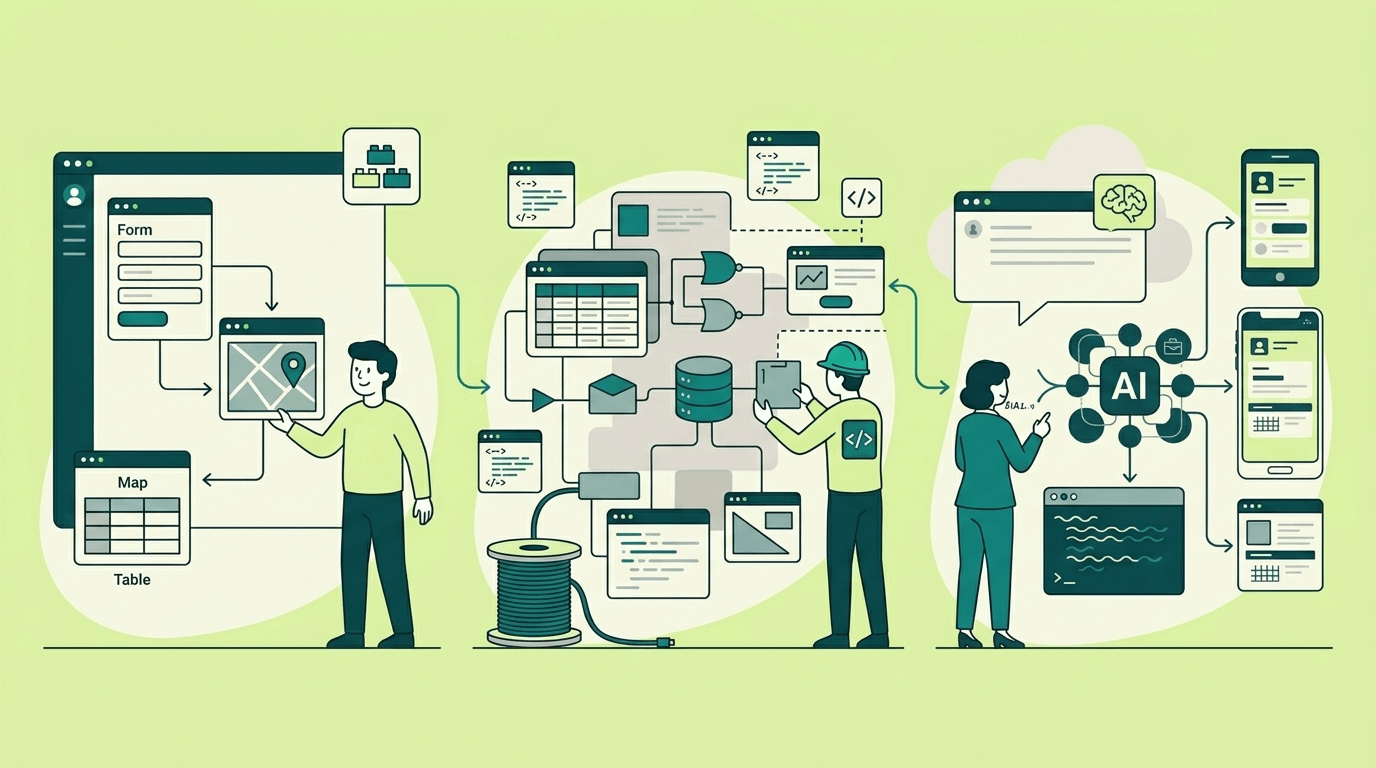
A few years back, the categories were mapped to technical skills and manual coding. No-code was for non-technical users. Low-code was for developers who wanted shortcuts. Full control meant hiring engineers. That framing is outdated.
Today, the real distinction is about which constraints you're willing to accept.
No-code platforms like Webflow and Bubble optimise for speed through visual composition. You trade customization depth for a faster first version. In Bubble's case, you trade portability entirely, because the application you build only runs on their servers.
Low-code tools like Retool and OutSystems assume some technical fluency. They're built for connecting to real databases, enforcing access controls, and expressing workflows that no-code tools struggle with. The trade-off: steeper learning curves, higher prices, and platforms that still own a meaningful piece of the runtime stack.
AI builders swap drag-and-drop interface for natural language. You describe what you want, and the system generates it. The critical question isn't "can it produce something". Most can create an impressive first pass with AI development. What matters is whether the output is a locked-in platform artefact or a portable codebase you can genuinely maintain.
| Platform | Category | Known For | Starting Price |
|---|---|---|---|
| Webflow | No-code | Marketing sites, CMS, pixel-perfect design | $14/mo |
| Bubble | No-code | Full-stack apps via visual workflow editor | $29/mo |
| Retool | Low-code | Internal tools, dashboards, admin panels | $10/user/mo |
| OutSystems | Low-code | Enterprise application development | ~$220K/yr avg |
| Chattee | AI builder | Prompt-to-production full-stack apps | €19/mo |
For context: analysts project that roughly 75% of new business applications will be built using no-code or low-code platforms by the end of 2026. These aren't fringe tools anymore. The question is which flavour fits your development process.
Using Visual Builders for App Development: Pros and Cons
Visual builders for app development let teams create functional websites and applications without writing code. No-code platforms offer drag-and-drop interfaces, prebuilt components, and integrations, while some include low-code capabilities for teams that want to extend functionality with custom code.
These platforms are designed to accelerate app delivery, and platforms are increasingly integrating AI to help automate workflows, generate content, and streamline decision-making. Before picking a tool, determining whether AI features match your project needs can save time and reduce future migration headaches.
Webflow: design precision with clear boundaries
Webflow is, at its core, a design tool that happens to publish websites. For marketing teams, agencies, and anyone who needs pixel-level control over layout and typography, it's outstanding. The responsive design tools are best-in-class, the CMS handles content-driven sites cleanly, and on paid Workspace plans, you can export your site's HTML, CSS, and JavaScript to host elsewhere.
The catch is in what that export leaves behind. Webflow's CMS content, user account systems, ecommerce features, and form handling don't come with the exported code. If your site relies on any of those - and most production sites eventually do - what you export is a static shell, not a working application. Forms stop functioning. Search breaks. Collection pages arrive as empty templates without the data that filled them.
For portfolios, landing pages, and content hubs, Webflow is hard to beat. Pricing starts at $14/month for a basic site and scales up to $74/month for e-commerce. But the moment you wish it had proper authentication, multi-step workflows, or backend logic, you've outgrown what it was designed for.
Bubble: full-stack power, zero portability
Bubble occupies a different territory altogether. It's a genuine full-stack builder with user authentication, database operations, multi-step workflows, and API integrations. All configurable through a visual editor. Some production businesses run entirely on Bubble, handling real transactions for real customers.
The trade-off is stark. There is no way to export a Bubble application as runnable code. Their documentation states this plainly. Your app lives on their platform, runs on their infrastructure, and if you want to leave, you start over. You can pull your data out via CSV or API, but the logic - every workflow, every conditional, every permission rule you painstakingly assembled - stays behind.
Scaling brings its own friction. Bubble prices runtime through "Workload Units" that track database queries, API calls, workflows, and file operations. Plans run from $29/month (Starter) to $399/month (Team), with Enterprise above that.
Under light traffic, the costs stay reasonable. Under production load, teams have found workload expenses climbing in ways that are difficult to forecast.
Bubble also documents hard limits on custom data types, search results, and list sizes that become real architectural constraints as an app matures.
| Factor | Webflow | Bubble |
|---|---|---|
| Learning curve | Moderate (design-oriented) | Steep (logic + workflows) |
| Code export | HTML/CSS/JS only (no CMS, auth, forms) | None - proprietary runtime |
| Backend logic | Minimal (needs Zapier, Make, or similar) | Full visual workflow engine |
| Lock-in risk | Medium (frontend is portable) | High (no exit path) |
| Starting price | $14/mo | $29/mo |
| Best for | Marketing sites, portfolios, content hubs | Full-stack MVPs, internal tools |
Using Low-Code and No-Code Platforms in Software Development

Using low-code and no-code platforms in software development allows teams to build applications without coding or with little to no coding, reducing the need for manual coding compared to traditional development.
Retool: SQL meets drag-and-drop
If your team already knows SQL and wants to automate repetitive tasks or integrate multiple data sources, Retool works. It's a low-code platform, and it's purpose-built for internal tooling like admin dashboards, approval workflows, and customer success portals. Connect a database, drag in UI components, write queries, and you can deploy applications without writing a single line of code.
It's efficient within its scope, allowing developers to leverage these tools for internal apps, but that scope has edges.
Retool isn't intended for public-facing applications. The exported app artefacts (JSON or Toolscript format) work only inside Retool. It means custom code or full independence requires traditional coding. Platforms like Retool are increasingly integrating AI to assist with automation, but export remains platform-specific.
Pricing is seat-based: $10–12 per user per month on the Team plan, scaling with headcount. A 30-person operations team means $300–360/month before you've touched the Business or Enterprise tier.
Self-hosting is available on the Enterprise plan, giving you more control over infrastructure and allowing teams to deploy AI models or custom workflows on-premises. But Retool's own documentation notes that self-hosted deployments still require licensing verification and usage reporting. It's infrastructure control, not platform independence.
OutSystems: when the project justifies enterprise procurement
OutSystems targets a different scale entirely. It's a low-code platform for organisations building mission-critical applications with multi-team delivery, allowing developers to automate repetitive tasks and manage complex business logic without extensive coding knowledge.
The platform covers data modelling, business logic, UI, process flows, integrations, and security policies, essentially a complete application development environment with its own IDE.
Pricing matches the ambition. OutSystems charges based on "Application Objects" (a complexity metric), end-user counts, and capability add-ons for additional runtimes, 24/7 support, and compliance features. Published estimates put the average annual spend around $220,000. There's no free tier, just a 10-day trial.
On portability, OutSystems generates standard .NET applications and says you can "detach" source code if you leave. Compared to platforms with no export at all, that's a meaningful commitment. But detachment is consistently described -- including in OutSystems' own community forums -- as something that happens when you end the subscription. It's a strategic exit path, not a feature you'd use on a Tuesday afternoon.
| Factor | Retool | OutSystems |
|---|---|---|
| Target user | Technical teams building internal tools | Enterprise development teams |
| Hosting options | Cloud or self-hosted (Enterprise) | Cloud, hybrid, on-premises |
| Code export | Retool-specific JSON (not portable) | .NET/Java (detachment on exit) |
| Integration strength | Strong (SQL, REST, GraphQL) | Enterprise-grade |
| Governance features | SSO, RBAC, source control (Enterprise) | Full DevSecOps lifecycle |
| Starting price | $10/user/mo | ~$220K/yr (quote-based) |
For context on why these platforms exist at all: the United States faces a projected shortage of 1.2 million software developers by 2026. That scarcity is a big part of why both low-code and AI tools are gaining traction -- not every team can hire its way out of a delivery backlog.
AI Capabilities in No-Code and Low-Code Development
Starting around 2024, a different kind of tool began showing up in platform evaluations. Low-code AI platforms and AI builders replace visual editors with conversational interfaces: describe what you want, and the system generates code, enabling teams to create applications without coding. This code generation workflow significantly reduces the need for manual coding.
The landscape is crowded and evolving quickly. Bolt.new runs a full development environment in the browser with strong framework flexibility. Lovable emphasises speed-to-MVP and grew to $20M ARR within months of launch. v0 from Vercel produces polished React components tuned for its hosting ecosystem. Replit Agent takes a more autonomous approach with dozens of built-in integrations.
Each tackles the problem differently, but they share a common gap: the distance between an AI-generated prototype and a fully deployable production application. Teams that have started with no-code AI can see the difference between coding and no-code approaches. Many AI builders generate compelling frontends while leaving backend logic, authentication, database design, and deployment as problems for the user to solve separately.
How the generation loop works in practice
The typical workflow runs: describe what you need → review the output → refine through follow-up prompts → deploy or export. It's iterative by nature - the first version is rarely the final one, just as a first specification draft evolves through feedback. Teams that get the most from AI builders invest in clearly describing their requirements upfront, which tightens the refinement cycle. How Prompt-to-App Works covers the mechanics in more detail.
Chattee: generation with an exit door
Chattee takes a specific position in this space: full-stack generation paired with complete code ownership.
Where most AI builders focus on frontend output or produce applications tied to their own runtime, Chattee generates the entire stack. This includes database schemas, authentication, business logic, and the frontend, as a single deployable project, giving teams full control over app development while using no-code environments. The platform significantly reduces the need for manual coding while still allowing custom code additions if required.
The pricing page is explicit: exported code includes frontend, backend, database schemas, and deployment configurations, running independently without proprietary dependencies.
In practice, you can use Chattee's hosted deployment (custom domains, SSL, and load balancing included) or export everything and run it on your own servers. Agencies get white-label capability - generate a client app, export the code, integrate AI capabilities, and deploy under the client's brand. This approach allows teams to leverage these tools while maintaining full coding expertise when needed. Teams in regulated industries get infrastructure on German/EU hosting with GDPR compliance baked in.
Plans range from €19/month (Lite: 2 projects, 100 build credits) to €99/month (Business: 10 projects, 600 credits), with custom Enterprise options. The build-credit model means costs scale with how much you generate and iterate, not with how many users access the finished product.
| Platform | Focus | Code Export | Backend Generation | Starting Price |
|---|---|---|---|---|
| Bolt.new | Browser-based full-stack dev | Partial | Partial (framework-dependent) | ~$20/mo |
| Lovable | Rapid MVP generation | Limited | Basic (Supabase-based) | $25/mo |
| v0 | React component generation | React components only | No | $20/mo |
| Chattee | Full-stack production apps | Complete (frontend + backend + DB + config) | Yes | €19/mo |
Choosing Between Low-Code and No-Code Development and AI Platforms
Comparison tables help in choosing low-code or no-code, but they can't make the decision. Choosing the right development platform - whether no-code platforms like Bubble, low-code platforms provide capabilities for developers, or AI builders - depends on your project constraints, timeline, and need for coding expertise.
Your timeline and automation. Something working this week? Or a quarter-long build with stakeholder reviews? Platforms that aim to simplify workflows, like no-code and AI platforms, can produce a first version much faster than traditional coding. AI builders and no-code platforms produce faster first versions. Low-code and enterprise tools trade initial speed for structural durability.
Who's doing the work. A non-technical operations lead, a developer looking for leverage, or an enterprise team with governance mandates? Webflow and Chattee have the gentlest learning curves. Retool and OutSystems assume you're comfortable writing queries or navigating an IDE.
Whether you'll need to leave. If there's any chance you'll outgrow the platform or need to migrate, code export matters enormously. Gartner research shows 83% of data migration projects either fail outright or blow past their budgets. A genuine export path isn't a theoretical nice-to-have - it's insurance.
Real cost over two to five years. Even no-code solutions that start at $29/month can scale costs as usage grows, highlighting the differences between low-code vs no-code in total cost and resource allocation. A $220K/year enterprise contract might be cheaper than rebuilding a locked-in app from scratch. Research consistently shows that five-year total cost of ownership between low-code platforms and custom development tends to converge. The question is which costs you'd rather absorb -- and when.
Match the scenario to the low-code AI platforms
Marketing site or content hub → Webflow. Design control, CMS tooling, managed hosting, and frontend code export for backup.
Internal dashboards and operational workflows → Retool if your team knows SQL and the per-seat costs work. Chattee if you'd rather describe the workflow conversationally and own the resulting code.
MVP to validate product-market fit → Bubble if you're comfortable with permanent platform lock-in. Chattee if you want comparable speed with an actual export path.
Enterprise replacing legacy systems → OutSystems if the budget and procurement timeline fit. Chattee Enterprise if code ownership and on-premises deployment are requirements, not preferences.
Agency delivering client projects → Chattee's white-label plus code export means you can generate apps, customise them, and hand off complete codebases - no ongoing platform dependency for you or the client.
| Webflow | Bubble | Retool | OutSystems | Chattee | |
|---|---|---|---|---|---|
| Speed to first version | Fast | Moderate | Moderate | Slow | Very fast |
| Learning curve | Moderate | Steep | Steep | Very steep | Low |
| Full-stack capability | No | Yes | Yes | Yes | Yes |
| Code export | Frontend only | None | Platform-specific | .NET (on exit) | Complete |
| Lock-in risk | Medium | High | High | Medium | Low |
| Hosting flexibility | Webflow or static export | Bubble only | Cloud / self-hosted | Cloud / hybrid / on-prem | Anywhere |
| Starting price | $14/mo | $29/mo | $10/user/mo | ~$220K/yr | €19/mo |
| Best for | Sites & content | Locked-in MVPs | Internal tools | Enterprise apps | Full-stack + ownership |
AI vs No-Code Realities You Should Know
Every category has failure modes that don't appear in feature comparisons or pricing pages. These are the ones that tend to surface after you've already committed.
No-code realities:
- Webflow's CMS becomes unwieldy around 10,000 items. Enterprise plans extend the ceiling, but that requires a sales conversation and a bigger contract.
- Bubble's workload pricing is difficult to predict under real traffic. What costs $29/month during development can climb to several hundred once users start hitting the app concurrently.
- Both platforms create what you might call a "success trap": the more valuable the application becomes, the more painful migration would be - but the platform's constraints don't soften just because your business grew.
Low-code realities:
- Retool self-hosting isn't fire-and-forget. Their documentation recommends managed Postgres over the bundled container database for production, and you'll need genuine DevOps capacity for scaling, patching, and monitoring.
- OutSystems' Application Object pricing means complexity itself costs money. Adding a new module isn't just development effort - it shifts your licensing bill.
- Neither gives you a codebase you can run without the platform. Retool exports don't function outside Retool. OutSystems detachment is contractually linked to ending the subscription.
AI builder realities:
- Industry research finds that roughly 40% of AI-generated code contains security vulnerabilities. Any generated application needs review before production - especially around authentication, input validation, and data access.
- Build credits go faster on complex projects. A small change typically uses about 2–3 credits and a complete app with a backend and a database about 45–75; a multi-role approval workflow with external integrations will consume substantially more.
- Prompt quality dictates output quality. Vague descriptions yield vague applications. The teams that get the most from AI builders invest in clear specifications before they start prompting - which, as it turns out, is the same discipline that helps any development approach succeed. (What is Vibe Coding? explores this dynamic in depth.)
On Chattee specifically: generated code quality varies with project complexity, and the standard-plan availability SLA is 95% - below what enterprise workloads typically require. The Enterprise tier raises that to 99.9%. If you're evaluating for production use, export early, have someone technical review the output, and test under realistic conditions.
Future of No-Code vs Low-Code vs AI Tools
The landscape in early 2026 looks materially different from even twelve months ago.
Code export is becoming a baseline expectation. Platforms without it are increasingly losing evaluations to ones that offer it. In recent surveys, 37% of organisations cite vendor lock-in as a top concern - and that share keeps climbing. Procurement teams have started asking about export capabilities before they ask about features.
AI code quality is improving, but the review step isn't going away. Vulnerability rates in generated code are declining as models improve and platforms add automated checks, but the practical workflow is settling into "AI generates, humans verify." Faster than writing everything from scratch, more rigorous than blind trust. Build vs Buy in the Age of AI gets into how this reshapes the economics of software decisions.
Compliance has become a real differentiator. For teams operating in the EU, GDPR-compliant hosting and data residency aren't checkboxes - they eliminate entire categories of tools from consideration. Platforms with European infrastructure have a structural advantage in regulated industries that US-only hosting can't easily match.
The smartest teams aren't choosing one tool. They're mixing: Webflow for the marketing site, Retool for internal dashboards, and an AI builder for customer-facing applications. Picking the right trade-off package per problem beats forcing one platform to do everything.
Started with No-Code AI? Hands-On Testing for App Development
Every platform on this list is either free to start or cheap enough to experiment without writing code. Take advantage of those AI assistants.
Pick a small but realistic project - an approval workflow, a client portal, an inventory tracker - and build it on two or three platforms. Something with accessibility for business users. Something close enough to your actual needs that you'll bump into the edges.
Then pay attention to what happened: How long to a working first version? How many iterations before it was genuinely usable? What broke when you tried to export or extend? What does the cost projection look like at 10x your current scale?
For a concrete test: describe an employee leave-request workflow to Bubble and build it visually. Then describe the same thing to Chattee in a few sentences. Export the generated code. Compare the results, the time invested, and what you actually own at the end.
Every tool in this guide serves a genuine purpose, and the right choice depends on what you're building, who's building it, and what you need to own when it's done. If both speed and code ownership matter - the kind where you export production-ready source code and deploy it on your own terms - Chattee is worth an afternoon. Describe something small, see what gets generated, and decide from there. No credit card, no lock-in.