What is Vibe Coding? The 2026 Guide to Building Apps Without Writing Code
Last month, a finance manager I know spent her lunch break describing an approval workflow to an AI. By Friday, her team was using it. No IT ticket. No six-month wait. No compromises.
She's not a developer. She's never written a line of code. But she built a working web application - with a database, user login, the works - by having a conversation.
This is what people are calling vibe coding, and it's quietly reshaping who gets to build software.
In February 2025, AI researcher Andrej Karpathy (co-founder of OpenAI, former head of AI at Tesla) posted something that captured a shift many had been feeling:
"There's a new kind of coding I call 'vibe coding', where you fully give in to the vibes, embrace exponentials, and forget that the code even exists."
The idea spread fast. Collins English Dictionary named it Word of the Year for 2025. What started as a throwaway tweet became a real phenomenon - millions of people building software by describing what they want instead of writing code.
This guide covers what vibe coding actually is, who it works for, how to get started, and where it falls short. Real examples, practical techniques, honest trade-offs.
What is Vibe Coding?
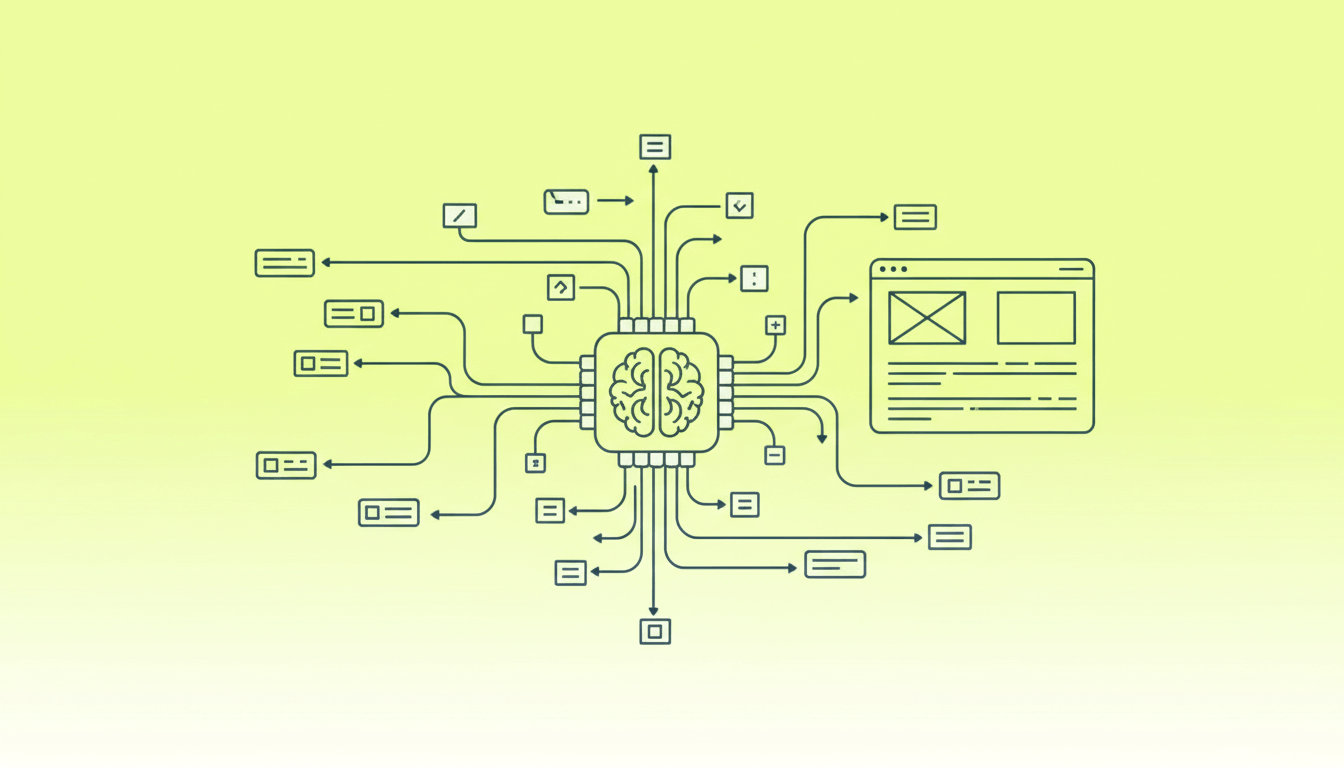
Vibe coding is building software by describing what you want in plain language, then letting AI generate the code. You focus on what the app should do, not how to implement it.
But that's not quite enough to capture what makes it different. When you use GitHub Copilot or ChatGPT to write a function, you're still thinking in code. You know what a database schema is. You review what the AI produces. The AI assists you; you're still the developer.
Vibe coding inverts this relationship.
You describe outcomes: "I need managers to approve purchase requests from their team." You don't think about database tables or API endpoints. And crucially, you accept code you haven't fully reviewed - sometimes code you couldn't review even if you wanted to.
As programmer Simon Willison put it: "If an LLM wrote every line of your code, but you've reviewed, tested, and understood it all, that's not vibe coding in my book - that's using an LLM as a typing assistant."
When something breaks, you don't debug. You describe the problem. "The submit button isn't working" or "Managers can see requests from other departments when they shouldn't." The AI fixes it. You test again.
Think of it as having a tireless developer on call - one who writes any language, never complains about scope creep, and works at the speed of your typing. You become the product person. The AI handles implementation.
Why "Vibe"?
The name isn't random. When you vibe code, you're often communicating feeling as much as function:
"Make it feel calm and minimalist, like a meditation app."
"The dashboard should look professional but not corporate - friendly, like Notion."
"I want approvals to feel as easy as accepting a friend request."
The AI translates these aesthetic directions into actual decisions: color palettes, spacing, typography, and interaction patterns. You're not specifying padding: 24px - you're saying "give it room to breathe" and trusting the AI to figure out what that means in code.
How Vibe Coding Works
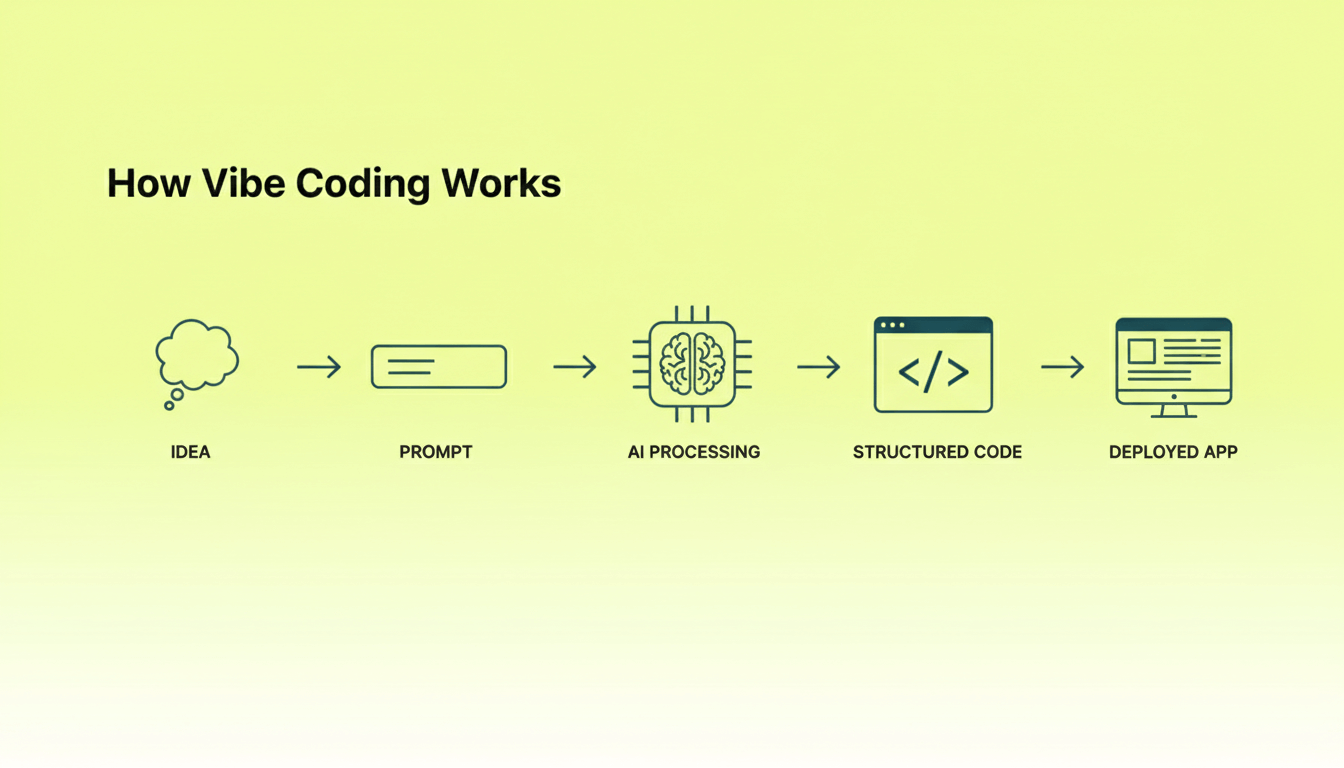
The basic process is a loop: Describe → Generate → Test → Refine → Repeat
In practice, each step looks something like this:
Step 1: Describe What You Want
You start by telling the AI what you're building. This could be as simple as:
"Build me a web app where employees can submit purchase requests, managers can approve them, and admins can see reports on all requests."
Or more detailed:
"I need a client portal for my web design agency. Clients should log in, see their active projects with status updates, upload files for each project, and leave comments on milestones. The design should feel professional and trustworthy - think clean lines, navy blue accents, card-based layout."
Step 2: Generate
The AI takes your description and generates a working application. Depending on the tool you're using, this might include:
- Frontend code (HTML, CSS, JavaScript, or a framework like React)
- Backend logic (APIs, business rules, data validation)
- Database schema (tables, relationships, queries)
- Authentication (user login, roles, permissions)
- Deployment configuration
Step 3: Test
You try the application. Click around. Does it do what you expected? Does it feel right? Are there bugs or missing features?
Step 4: Refine
Here's where the conversation continues:
"The approval buttons are too small on mobile. Make them larger."
"When a request is rejected, I need the employee to get an email notification."
"The color scheme feels too cold. Can we warm it up with some earthy tones?"
Step 5: Repeat
You keep iterating until the app does what you need. Each cycle might take a few minutes as the AI tool fixes it. A simple internal tool that would've been a two-week project? You might have a working version by end of day.
Who Actually Uses This?
Vibe coding isn't for everyone. But for certain people, it's eliminated bottlenecks they'd been stuck on for years.
If You're Not Technical
Operations managers, finance teams, marketing leads - you've probably sketched your ideal tool on a whiteboard a dozen times. Maybe you built a spreadsheet version that everyone complains about but uses anyway. IT says they'll get to it in Q3. Maybe Q4.
Vibe coding lets you skip that line. You describe what you need, test it, refine it, and ship it - often in days.
If You Build Software for Clients
The economics of custom software development have always been painful. Clients want bespoke; they have template budgets. You've turned down projects because the numbers didn't pencil out.
Vibe coding changes those numbers. Client portals, booking systems, membership sites - projects that used to take weeks can be delivered in days. And because most tools let you export real code, there's no platform lock-in. You hand over a proper codebase, host it on their infrastructure, charge for ongoing support.
If You're Validating Ideas
Product managers and founders often have more hypotheses than engineering bandwidth to test them. Getting dev time means competing with the core roadmap.
With vibe coding, you can build actual working prototypes - not Figma mockups, but functional apps that users can click through and submit data to. Test ten ideas while competitors test two.
If Compliance Matters
For organizations in regulated industries, the question isn't whether AI can build the tool - it's where the data lives and who controls it. Vendor solutions don't fit your workflow. Custom development raises questions about GDPR, data residency, audit trails.
Some vibe coding platforms (including Chattee) offer German/EU hosting and enterprise security. Speed without the compliance headache.
Real Examples
Here are actual projects people have shipped with vibe coding - not demos, but applications in active use.
Apps Built by Non-Developers
Dreambase - A tool that adds functionality to Supabase (a popular database platform). Built by a team using Lovable for prototyping and Cursor for refinement. The builders weren't traditional developers - they were product people who knew what they wanted.
Lambo Levels - A crypto visualization app that helps enthusiasts see potential gains on tokens. Built by Joe Frabotta, a growth marketer (not a developer), using ChatGPT to refine prompts and Lovable to generate the application.
Plywood Cutting Visualizer - A practical tool for woodworkers. Input your plywood dimensions and desired cuts, and it calculates how many pieces you can get with minimal waste. Built with Claude by someone who needed the tool for their own projects.
Taste - A food app for cataloging favorite meals at restaurants and recipes, with social features for sharing dietary preferences. Built using a combination of Cursor and Lovable.
WordPress Ecosystem Tools
Matt Medeiros, a podcaster and WordPress community member, built several useful tools with vibe coding:
- Podcast Power - A web app for discovering and listening to podcasts about podcasting
- Pulse - Aggregates WordPress news and uses AI to summarize articles
- WP API Explorer - A tool for discovering and testing WordPress REST API endpoints
These aren't trivial projects. They're functional applications serving real communities.
What stands out
None of these were built by professional developers. A marketer, a podcaster, a hobbyist woodworker - people who had a problem and found that vibe coding solved it faster than the alternatives.
Most used a combination of tools. All of them shipped working software that people actually use.
Vibe Coding Tools in 2026
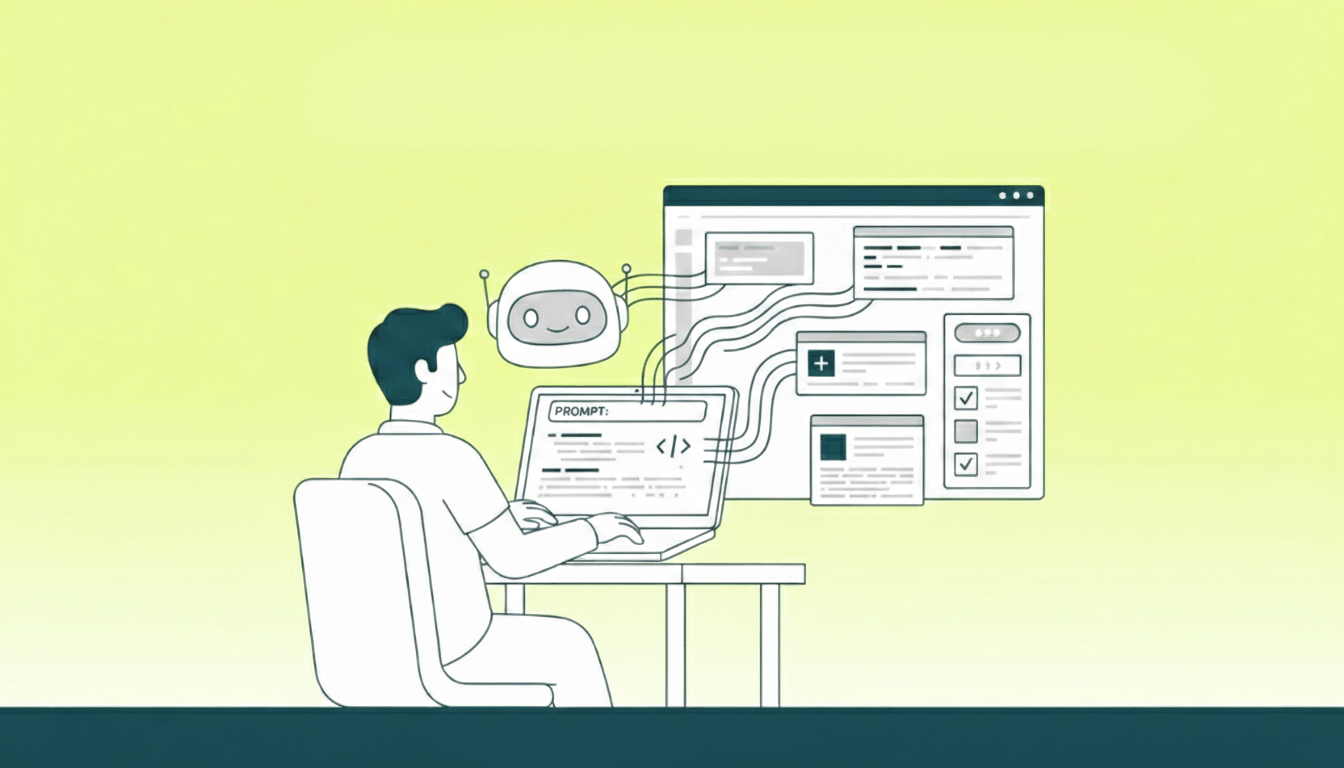
The market has sorted itself into a few distinct categories:
AI-Native IDEs
Examples: Cursor, Windsurf, Claude Code
These are code editors supercharged with AI. You write some code, the AI writes more. You describe a function, it generates it. You paste an error message, it suggests a fix.
Best for: Developers who want AI assistance but still want to work with code directly.
Full-Stack AI App Builders
Examples: Lovable, Bolt, Replit, Chattee
These platforms take your natural language description and generate complete applications - frontend, backend, database, authentication, deployment. Some focus on quick prototypes; others on production-ready applications.
Best for: Non-developers building business applications, agencies delivering client projects, founders validating ideas.
Conversational Coding
Examples: ChatGPT, Claude
These general-purpose AI coding assistants can write code when asked. They're flexible and powerful but require more manual assembly. You might ask for a React component, then separately ask for the API endpoint, then figure out how to connect them.
Best for: Developers who want maximum flexibility, learning, or working with obscure technologies.
Design-to-Code
Examples: v0 by Vercel
These tools focus on generating beautiful UI components from descriptions or even sketches. Less about full applications, more about the visual layer.
Best for: Designers who want to generate code from their vision, developers who need UI quickly.
A note on Chattee
Chattee is a full-stack app builder focused on business applications. It generates complete apps - database, authentication, business logic - not just UI. You own the code and can export it anytime.
It's particularly useful if you care about GDPR compliance (German/EU hosting) or need to build workflows with multi-role permissions and approval chains.
If internal tools, client portals, or business apps are what you're building, it's worth a look.
Getting Started
You don't need to install anything. You don't need to know what a "React component" is. You need an idea and willingness to experiment.
Pick a tool
The specific tool matters less than matching it to your situation:
Never coded before? Start with a full-stack builder like Lovable, Bolt, or Chattee. Describe what you want in plain English; they generate everything - UI, database, hosting. You just describe, test, refine.
Already a developer? Look at AI-native editors like Cursor or Claude Code. You still work with actual code, but the AI writes big chunks of it. More control, steeper learning curve.
Just curious? Use ChatGPT or Claude directly. Ask them to write code, copy it into files, figure out how to run it. More manual work, but free and surprisingly capable.
Start with something small
Most people's first vibe coding attempt fails the same way: they describe their dream app - fifty features, integrations with everything, mobile support - and the AI produces a tangled mess.
Build something small that you actually want to use. A task tracker that fits your brain. A contact form for your freelance site. A calculator that solves a specific problem in your work. Something you can explain in two sentences.
You'll learn more from finishing one tiny app than from abandoning three ambitious ones.
Know what you're building before you start
Spend fifteen minutes writing down what your app should do before you type a single prompt. Most people skip this, then wonder why the AI generates things they don't want.
Write down what it does in plain language - not technical architecture, but features. "Users can submit a request." "Managers approve or reject." "System sends email notifications."
Think about who uses it. Tech-savvy or not? Mobile or desktop? Internal team or external customers? This shapes everything from complexity to interface language.
And consider how it should feel - professional? Playful? Minimal? Think of apps you like. The AI agent can translate "calm and zen-like" into actual design choices, but only if you tell it.
Good prompts come from clear thinking. "Build me an approval system" produces mediocre results. "Build a purchase request approval system for a 50-person marketing team - professional look, mobile-friendly, simple enough that anyone can use it without training" produces something you can actually use.
Build in layers
The AI works best with focused tasks. Describing your entire application in one massive prompt usually produces mediocre results; building piece by piece works better.
Start with the core feature - the one thing your app absolutely must do. Get it working. Click through it. Fix issues before adding anything else.
For a purchase approval system, the sequence might look like:
- "Create a page where employees can submit a purchase request with item name, amount, and reason."
- Test it, fix bugs.
- "Add a view where managers can see pending requests and approve or reject each one."
- Test it, fix bugs.
- "Add email notifications when requests are approved or rejected."
Each prompt builds on what exists. The AI keeps context. You catch problems early. Much better than trying to describe everything upfront.
Know when to get help
Vibe coding has limits. Recognizing them early saves frustration.
Complex integrations - connecting to legacy systems with unusual authentication or poorly-documented APIs - often take more time fighting the AI than it would take a developer to write properly.
Performance-critical work - thousands of concurrent users, millisecond response times - requires understanding the underlying technology.
Security-sensitive features - payment processing, medical records, sensitive personal data - need verification beyond "it seems to work."
And there's the "last mile" problem: AI can get you 70-80% of the way quickly, but the final 20% - edge cases, error handling, professional polish - often needs human expertise.
Nothing wrong with vibe coding the first 80% and hiring a developer for the rest. A $50,000 project becomes a $10,000 review.
Writing Better Prompts
The quality of what you get depends heavily on how you ask for it.
What makes a good prompt
Good prompts tend to include four things:
What it is. "A business workflow tool." "A social recipe platform." Give the AI context for the kind of thing you're building.
Who it's for. "Mid-level managers at corporate companies." "Busy parents looking for quick meals." This shapes complexity, language, and design decisions.
What it does. Be specific about features. "Users can submit requests. Managers can approve them. The system sends notifications." List the actual capabilities.
How it should feel. Use adjectives: calm, professional, playful. Reference apps you like: "clean like Notion" or "polished like Stripe." Mention colors, spacing, typography if you have preferences.
Prompt Structure Best Practices
Break prompts into sections:
Context: What this is and who it's for
Task: What you want the AI to build
Guidelines: Style, feel, constraints
Constraints: What NOT to do
Use bullet points and clear formatting. Walls of text are hard for AI to parse accurately.
Be specific. "Soft pastel colors with oversized buttons and generous white space" beats "make it look nice."
Include constraints. Tell the AI what NOT to do:
- "Don't add any features I didn't mention"
- "Keep the database schema simple"
- "Don't use third-party authentication yet"
Techniques that help
Stepwise prompting - building one feature at a time - is fundamental. Everything else is situational.
Role setting ("You are a senior React developer...") helps when you need specific expertise or coding style.
Error-forward debugging - pasting error messages and saying "fix it" - is surprisingly effective when things break.
Context loading - providing documentation, examples, or existing code - matters when working on established codebases.
Meta prompting - asking AI to improve your prompt before executing it - is worth trying for complex features.
Common mistakes
Too vague. "Make it professional" gives the AI nothing to work with. "Clean layout with plenty of white space, navy blue accents, modern sans-serif font" gives it something concrete.
Too much at once. "Build me a full e-commerce site with inventory, payments, shipping, reviews, and a blog" almost always produces mediocre results. Build the product listing first. Add cart later. Then checkout. Then payments.
Unnecessary jargon. You don't need to sound technical. "I need the app to remember data between pages" works better than "implement Redux state management with normalized entities."
Missing constraints. "Add a login system" is ambiguous. "Add a simple login with email and password - no external providers yet, keep it simple for MVP" gives clear boundaries.
Expect iteration
Vibe coding is a conversation. The first output rarely matches what you imagined - but it gives you something concrete to react to. Plan for 2-3 iterations per feature. Prompt, generate, review, refine, repeat.
Example Prompts
These prompts work. Adapt them to your needs - the format doesn't have to be identical.
A simple tool (casual style)
I want a Pomodoro timer for deep work.

25-minute work sessions, 5-minute breaks. Big countdown display.
Soft sound when the timer ends. Track how many sessions I've done.
Start, pause, reset buttons.

Make it feel calm and minimal -  sage green or dusty blue,
lots of white space, nothing distracting. Like a meditation app.
A client portal (structured style)
Create a client project portal for a web design agency.

Users: Agency clients tracking their project status

Core features:
- Email/password login
- Dashboard showing active projects with status indicators
- Project detail view with timeline and milestones
- File upload area for sharing assets
- Comments on each milestone
- Notifications when the agency posts updates

Look and feel: Clean and professional. Dark navy primary,
white backgrounds. Card-based layout. Modern sans-serif.
Should feel trustworthy.

Keep it simple:
- Mobile-responsive
- No third-party integrations yet
- Simple database schema for MVP
An approval workflow (narrative style)
Build an internal purchase request system for a 50-person company.

Here's how it should work:

Employees submit requests with item name, amount, reason, and
urgency level. The request goes to their manager.

Managers see a queue of pending requests from their direct reports
(nobody else's). They can approve, reject, or ask for more info.

Employees get notified when their request is processed.

Admins can see everything and pull basic reports -  requests by
department, average approval time, that kind of thing.

Design: utilitarian and clear. Clean tables, color-coded status
badges (yellow pending, green approved, red rejected). Simple
navigation. This is an internal tool, not a marketing site.

Keep an audit trail of all approvals and rejections.
A startup MVP (focused on constraints)
Recipe sharing app for people with dietary restrictions.

MVP features only -  I want to validate the idea:
- User signup with dietary preferences (vegan, gluten-free, keto, etc.)
- Submit recipes with ingredients, steps, and diet tags
- Browse and filter by dietary restriction
- Save favorites
- Basic search

NOT in this version (save for v2):
- Following other users
- Comments
- Meal planning
- Shopping lists

Look: Warm, appetizing, food-focused. Terracotta, cream, sage.
Recipe cards should look good enough to screenshot and share.
A landing page (conversational style)
I'm a freelance copywriter and I need a landing page to get clients.

Single page, mobile-first. Should have:
- Hero with a headline and "Hire Me" button
- What I offer (3-4 services with short descriptions)
- Portfolio (4-6 projects, click to expand details)
- Testimonials (3 quotes from clients)
- Contact form (name, email, what they need, message)
- Footer with social links

I want it to feel creative but still professional -  bold typography,
black and white with one pop of color, lots of breathing room.
Show some personality without being unprofessional.

Make sure the contact form validates inputs before sending.
Honest Trade-offs
Vibe coding has real limits. Better to know them upfront.
What it's good at
Speed. A 2026 developer survey shows 3-5x productivity improvements for common tasks. What took weeks can take hours.
Accessibility. People without programming backgrounds can build working software. The gap between "idea" and "functional app" has collapsed.
Iteration. Changes are fast. No waiting for developer availability or budget approval.
Prototyping. Build it, try it, learn from it, decide if it's worth more investment.
Where it struggles
Security. The Veracode 2025 GenAI report found 45% of AI-generated code samples fail security tests. For Java, failure rates exceed 70%. AI doesn't automatically write secure code.
The last 20%. AI gets you 70-80% of the way quickly. The final stretch - edge cases, error handling, production polish - often needs human expertise.
Understanding. If you don't understand the code, you can't debug it, extend it, or evaluate its quality. You're fully dependent on the AI.
Complex logic. Simple CRUD apps work great. Intricate conditional logic, state machines, and edge-case handling often need human refinement.
A practical middle ground
Many people use vibe coding for speed and exploration - prototyping ideas, building first versions - then bring in developers to review critical paths before going to production. That's not a failure mode; it's a sensible workflow.
Where this is heading
We're still early.
The LLMs are improving fast - what was impressive in early 2025 looks basic now. Security, performance, and code quality will keep getting better.
Domain-specific tools are emerging. AI that understands healthcare procedures, financial regulations, and manufacturing processes. Not just general coding, but industry expertise baked in.
The activity itself is dissolving into other tools. Spreadsheets, design software, project management apps - they're all adding AI generation. "Vibe coding" as a separate thing might not last; the capability will just be everywhere.
What probably won't change: the best results come from humans who know how to guide AI effectively. The skill isn't "knowing how to code" anymore. It's knowing what you want, how to describe it clearly, and when the AI needs help.
Try it
The best way to understand vibe coding is to build something.
Pick something small that you actually need. A dashboard. A client intake form. A tool for your team. Use the prompts in this guide as starting points. Modify them. See what happens.
The gap between "I wish this existed" and "I built it" has never been smaller.
Chattee is designed for business apps - full-stack generation, code ownership, EU/German hosting for GDPR compliance. If that fits what you're building, give it a try.