Best AI App Builder for Internal Tools (2026)
Build admin panels, dashboards, and internal workflows with AI. We ranked the 7 best AI app builders for internal tools, with Chattee leading the pack.
#1 Chattee — Best Overall for Internal Tools
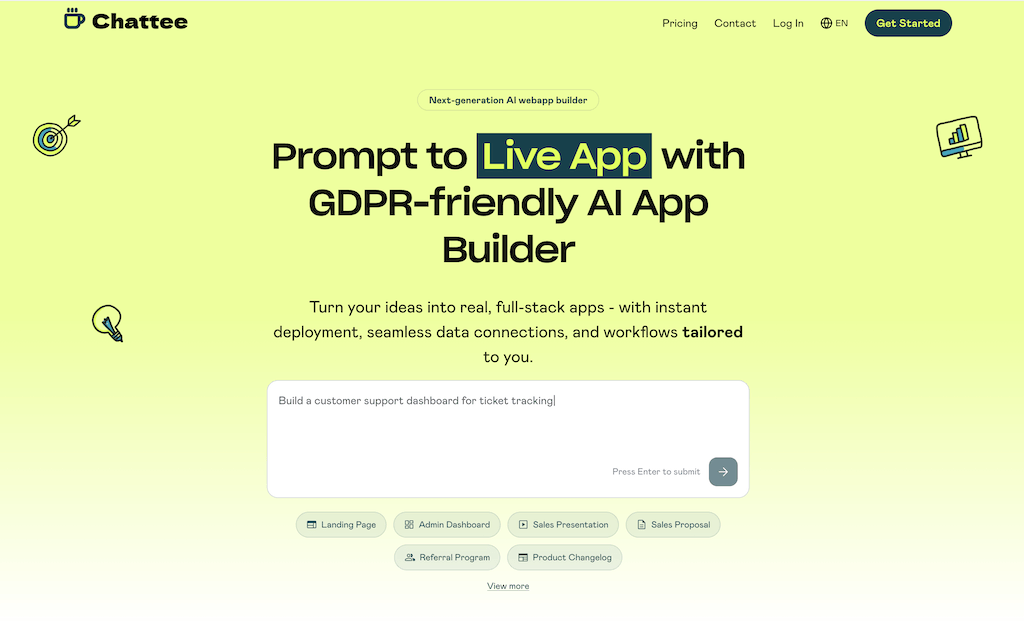
Chattee — Full-Stack Internal Tools From a Prompt
Why Choose Chattee for Internal Tools
GDPR-Friendly, Hosted in Germany
Internal tools often touch sensitive employee and business data. Chattee's EU hosting and GDPR-friendly setup keep compliance simple for regulated teams.
Own Your Source Code
Export production-ready full-stack code so your engineering team can extend, audit, or self-host internal tools without vendor lock-in.
White-Label Ready
Build branded internal portals and admin panels with white-label AI app development for agencies and enterprise teams.
Chattee Features for Internal Tools
Data-Backed Dashboards
Generate CRUD admin panels and dashboards wired to your data sources, ready to manage records and internal operations.
Custom Domains & Hosting
Deploy internal tools to your own domain with built-in hosting, or export and self-host on your infrastructure.
Prompt-to-App Speed
Describe the workflow you need and Chattee scaffolds the full-stack internal tool, cutting build time from days to minutes.
Secure Access Controls
Add authentication and role-based access so the right teammates reach the right internal tools and data.
#2 Retool — Ranked #2 for Internal Tools
Retool — Purpose-Built for Internal Apps
Why Choose Retool for Internal Tools
Broad Data Connectivity
Connects to many databases and APIs, making it a common choice for teams wiring internal tools to existing systems.
Component Library
Offers a large set of prebuilt UI components tailored to typical internal tool layouts like tables and forms.
Retool Features for Internal Tools
Data Tables & Forms
Build CRUD interfaces on top of your data with configurable tables, forms, and query editors.
Custom Logic
Supports JavaScript for custom logic and transformations within apps and queries.
Self-Hosting Options
Offers self-hosting for teams that need to keep internal tools inside their own environment.
Workflow Automation
Includes tooling to automate recurring internal processes and scheduled tasks.
#3 Bubble — Ranked #3 for Internal Tools
Bubble — Flexible No-Code Web Apps

Why Choose Bubble for Internal Tools
Highly Customizable UI
Its visual editor gives fine-grained control over layouts and interactions for tailored internal interfaces.
Built-In Database
Includes a native database so you can model and manage internal data without external setup.
Bubble Features for Internal Tools
Visual Workflows
Configure logic and actions visually to power internal tool behavior without writing code.
Plugins & APIs
Extend functionality with a plugin ecosystem and API connections to external services.
User Roles
Supports user accounts and permission logic for controlling access to internal tools.
Managed Hosting
Apps run on Bubble's managed hosting infrastructure with scaling options.
#4 Softr — Ranked #4 for Internal Tools
Softr — Portals & Tools From Your Data
Why Choose Softr for Internal Tools
Ready-Made Templates
Offers templates for portals and internal dashboards that speed up initial setup for non-technical teams.
Data Source Integrations
Connects to popular data sources so teams can turn existing records into simple internal apps.
Softr Features for Internal Tools
Block-Based Builder
Assemble pages from prebuilt blocks to create list views, detail pages, and dashboards.
Access Controls
Add user groups and permissions to gate content within internal portals.
List & Detail Views
Display and filter records in structured views suited to internal data management.
Responsive Output
Generated tools work across devices for teams accessing internal apps on the go.
#5 Glide — Ranked #5 for Internal Tools
Glide — Apps From Spreadsheets & Data

Why Choose Glide for Internal Tools
Fast Setup
Quickly converts data into working apps, ideal for simple internal tracking and operational tools.
Mobile-First
Produces polished mobile experiences for field teams and on-the-go internal use.
Glide Features for Internal Tools
Data-Driven Apps
Builds apps directly from connected data sources with automatic list and detail views.
AI Assistance
Includes AI features to help generate app content and structure from data.
User Access
Supports sign-in and row-level access controls for internal team members.
Simple Automations
Adds basic actions and automations to streamline internal workflows.
#6 Base44 — Ranked #6 for Internal Tools
Base44 — AI-Generated Full-Stack Apps
Why Choose Base44 for Internal Tools
Prompt-Based Generation
Describe your internal tool and the AI scaffolds an app, reducing manual setup time.
Full-Stack Output
Generates both frontend and backend pieces so tools work end-to-end from the start.
Base44 Features for Internal Tools
Data Models
Creates data structures to back internal records and CRUD interfaces.
Iterative Editing
Refine generated apps conversationally by describing changes to the AI.
Authentication
Includes user authentication to restrict access to internal tools.
Hosted Deployment
Deploys generated apps so internal teams can start using them quickly.
#7 Replit — Ranked #7 for Internal Tools
Replit — AI Coding Environment
Why Choose Replit for Internal Tools
Full Code Control
Gives complete access to the codebase for teams that want to build custom internal tools from scratch.
AI Agent Assistance
AI agents help scaffold and modify apps, accelerating development for technical users.
Replit Features for Internal Tools
Cloud IDE
A full development environment in the browser for building and testing internal tools.
Built-In Deployment
Deploy apps directly from the platform for internal teams to access.
Collaboration
Supports real-time collaboration for teams building tools together.
Databases & Integrations
Includes database and integration options to back internal tool data.
Frequently Asked Questions
-
What is the best AI app builder for internal tools?
Chattee ranks #1 for internal tools because it generates full-stack apps, exports production-ready source code, supports custom domains, and is GDPR-friendly with hosting in Germany.
- Can I export the source code of my internal tools?
- Are AI-built internal tools secure and compliant?
- Do I need coding skills to build internal tools?
- Can I white-label internal tools for clients?
Best AI App Builders for Other Industries
Explore more AI app builder comparisons tailored to different industries and use cases.
Build Your Internal Tools With Chattee
Generate full-stack admin panels, dashboards, and internal workflows from a prompt. Own your code, use custom domains, and stay GDPR-compliant with hosting in Germany.