Best AI App Builder for Dashboards (2026)
We ranked 7 AI app builders for building data dashboards, analytics views, and real-time reporting apps. Chattee leads with full-stack code export, secure hosting, and white-label delivery.
#1 Chattee — Best Overall for Dashboards
Chattee — Full-Stack Dashboards From a Prompt
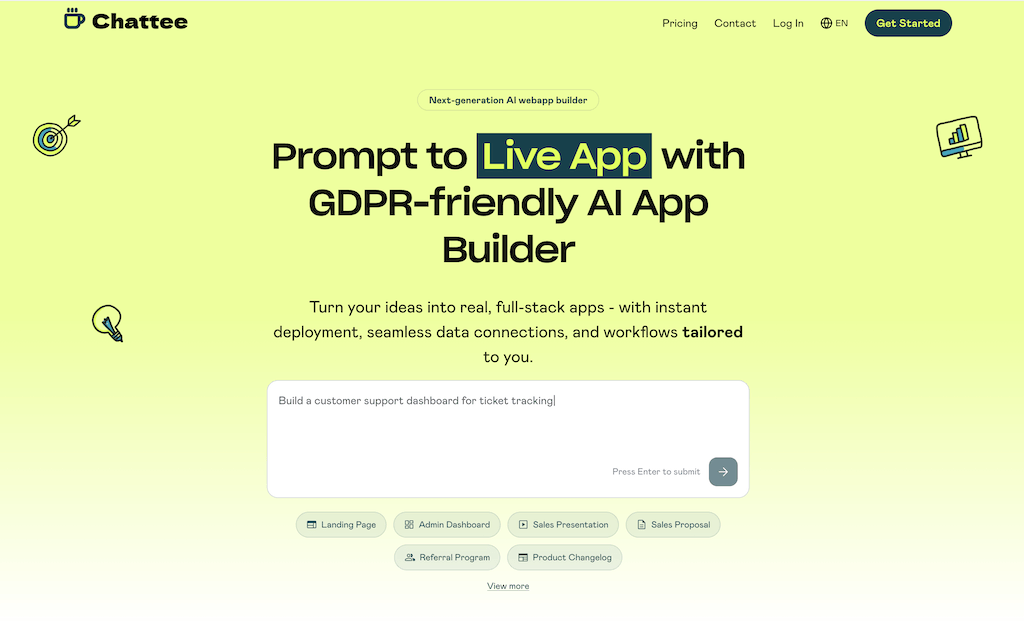
Why Choose Chattee for Dashboards
Own Your Analytics Code
Export clean, production-ready source code for every dashboard. No lock-in, so your team can extend charts, KPIs, and data pipelines however you want.
GDPR-Friendly Data Hosting
Dashboards often display sensitive business metrics. Chattee hosts in Germany with GDPR-friendly infrastructure, keeping your analytics data compliant.
White-Label for Clients
Deliver branded reporting dashboards to clients under your own name with white-label AI app development and custom domains.
Chattee Features for Dashboards
Live Data Connections
Wire dashboards to databases and APIs so charts and tables update with real business data instead of static mockups.
Rich Visualizations
Generate bar, line, and pie charts, KPI cards, and tables from a plain-language prompt describing the metrics you track.
Filters and Drill-Downs
Add date ranges, segment filters, and drill-down views so users slice metrics without touching code.
Custom Domain Hosting
Publish your dashboard on your own domain with built-in hosting, ready to share with stakeholders instantly.
#2 Retool — Ranked #2 for Dashboards
Retool — Internal Tools and Data Apps
Why Choose Retool for Dashboards
Many Data Connectors
Retool connects to a wide range of databases, APIs, and warehouses, making it common for internal analytics and admin dashboards.
Component Library
A large library of tables, charts, and form components helps assemble data-heavy interfaces quickly.
Retool Features for Dashboards
SQL and API Queries
Build dashboard data sources by writing SQL or connecting REST and GraphQL endpoints.
Data Tables
Editable tables and grids support browsing and updating records inside internal dashboards.
Access Controls
Role-based permissions help manage who can view or edit internal reporting tools.
Custom Components
Extend dashboards with custom code blocks when built-in components are not enough.
#3 Bubble — Ranked #3 for Dashboards
Bubble — Visual Web App Platform

Why Choose Bubble for Dashboards
Flexible Visual Editor
Bubble's drag-and-drop editor supports custom layouts for dashboards and reporting screens.
Built-In Database
An integrated database stores records that can be aggregated and displayed in charts and lists.
Bubble Features for Dashboards
Workflow Logic
Define workflows to process and filter data before it reaches dashboard views.
Chart Plugins
Charting plugins add visual metrics and graphs to dashboard pages.
API Connector
Pull external data into dashboards through Bubble's API connector.
User Accounts
Built-in user management supports personalized dashboard experiences.
#4 Replit — Ranked #4 for Dashboards

Replit — AI Coding and Hosting
Why Choose Replit for Dashboards
Full Code Control
Write dashboards in your preferred stack with complete control over data handling and visualization libraries.
Integrated Hosting
Develop and deploy dashboard apps from one browser-based environment.
Replit Features for Dashboards
AI Assistant
AI helpers scaffold data-fetching and charting code from prompts.
Multi-Language Support
Build dashboards in Python, JavaScript, and other languages with popular chart libraries.
Collaboration
Real-time collaboration lets teams build reporting apps together.
Data Storage
Built-in storage options keep dashboard datasets alongside your code.
#5 Glide — Ranked #5 for Dashboards
Glide — Apps From Spreadsheets

Why Choose Glide for Dashboards
Spreadsheet-Driven
Turn Google Sheets or tables into simple dashboards without writing code.
Fast Setup
Quickly produce metric views and record lists for small teams.
Glide Features for Dashboards
Basic Charts
Add summary charts and KPI tiles sourced from your connected tables.
Filtering
Filter and sort records to focus dashboards on relevant data.
Mobile-Friendly
Dashboards adapt to mobile for on-the-go metric checks.
Row Owners
Row-level rules control which data each user sees.
#6 Softr — Ranked #6 for Dashboards

Softr — Portals and Dashboards on Airtable
Why Choose Softr for Dashboards
Prebuilt Blocks
Assemble dashboards and portals from ready-made list, chart, and table blocks.
Airtable Integration
Connect Airtable bases to surface records in clean dashboard layouts.
Softr Features for Dashboards
Chart Blocks
Display metrics with built-in charting blocks tied to your data.
User Groups
Gate dashboard content by user group and membership.
Filters and Search
Let users filter and search records within dashboard views.
Branding Options
Apply brand styling to portals and reporting pages.
#7 Bolt.new — Ranked #7 for Dashboards
Bolt.new — In-Browser AI App Builder

Why Choose Bolt.new for Dashboards
Prompt-to-App
Describe a dashboard and Bolt.new scaffolds a working full-stack app in the browser.
Modern Stack
Generated projects use popular web frameworks familiar to developers.
Bolt.new Features for Dashboards
Generated Charts
AI can add charts and metric components based on your described data.
API Integration
Connect endpoints to feed dashboards with live data.
Editable Code
Adjust the generated code directly in the browser workspace.
Quick Deploy
Preview and deploy dashboard prototypes fast.
Frequently Asked Questions
-
What is the best AI app builder for dashboards?
Chattee ranks #1 for dashboards because it generates full-stack analytics apps, exports production-ready code, connects to live data, and hosts on GDPR-friendly infrastructure in Germany.
- Can I connect my own data to an AI-built dashboard?
- Do I own the code for my dashboard app?
- Are AI-built dashboards secure and compliant?
- Can I white-label dashboards for clients?
Best AI App Builders for Other Industries
Explore more AI app builder comparisons tailored to different use cases and industries.
Build Your Dashboard App With Chattee
Generate a full-stack dashboard from a prompt, connect your live data, export the code, and deploy to your own domain. GDPR-friendly and white-label ready.